
Firstly, you need to login to CentovaCast. Your CentovaCast login details should be sent via email when you first signed up for an account. We also allow direct login through the Client Area
Within CentovaCast navigate to Configuration > Settings > Mountpoints > Click on your stations mountpoint (Usually /stream) > Auto-DJ Settings > Mountpoint Name
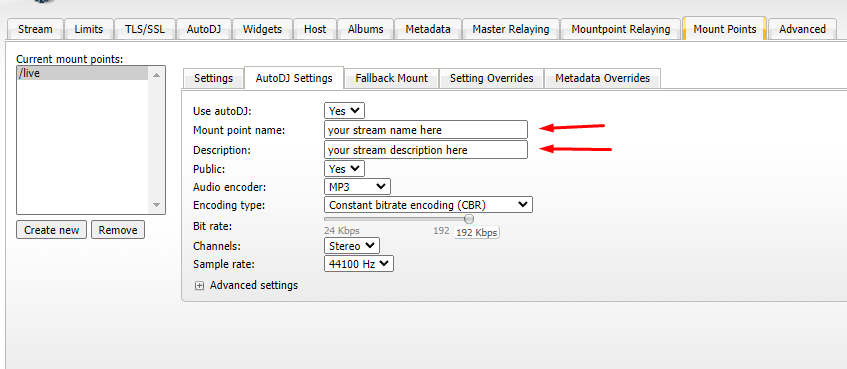
You will then be able to add your stations title and your stations description for that particular mountpoint. Simply restart your stream for it to take affect after saving your new title/description.


